Paradox Conversations: Chat through ideas with your documents and context connected, then transfer to the planning canvas.
From Ideas to Results In One Connected Workflow
No credit card required. Human-first by design.
Chat
Native and imported chats distill and connect understanding to your persistent knowledge base, forever.
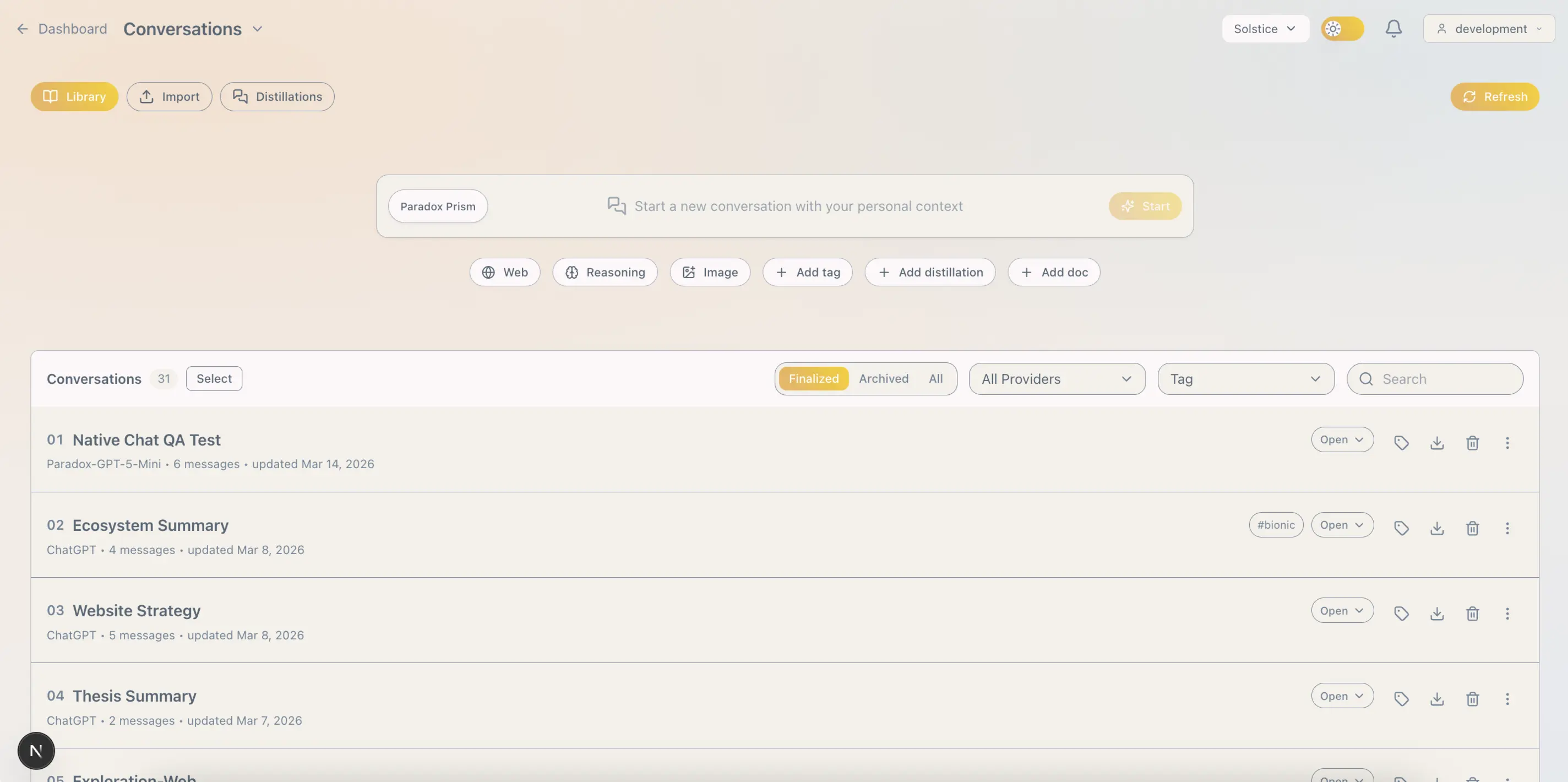
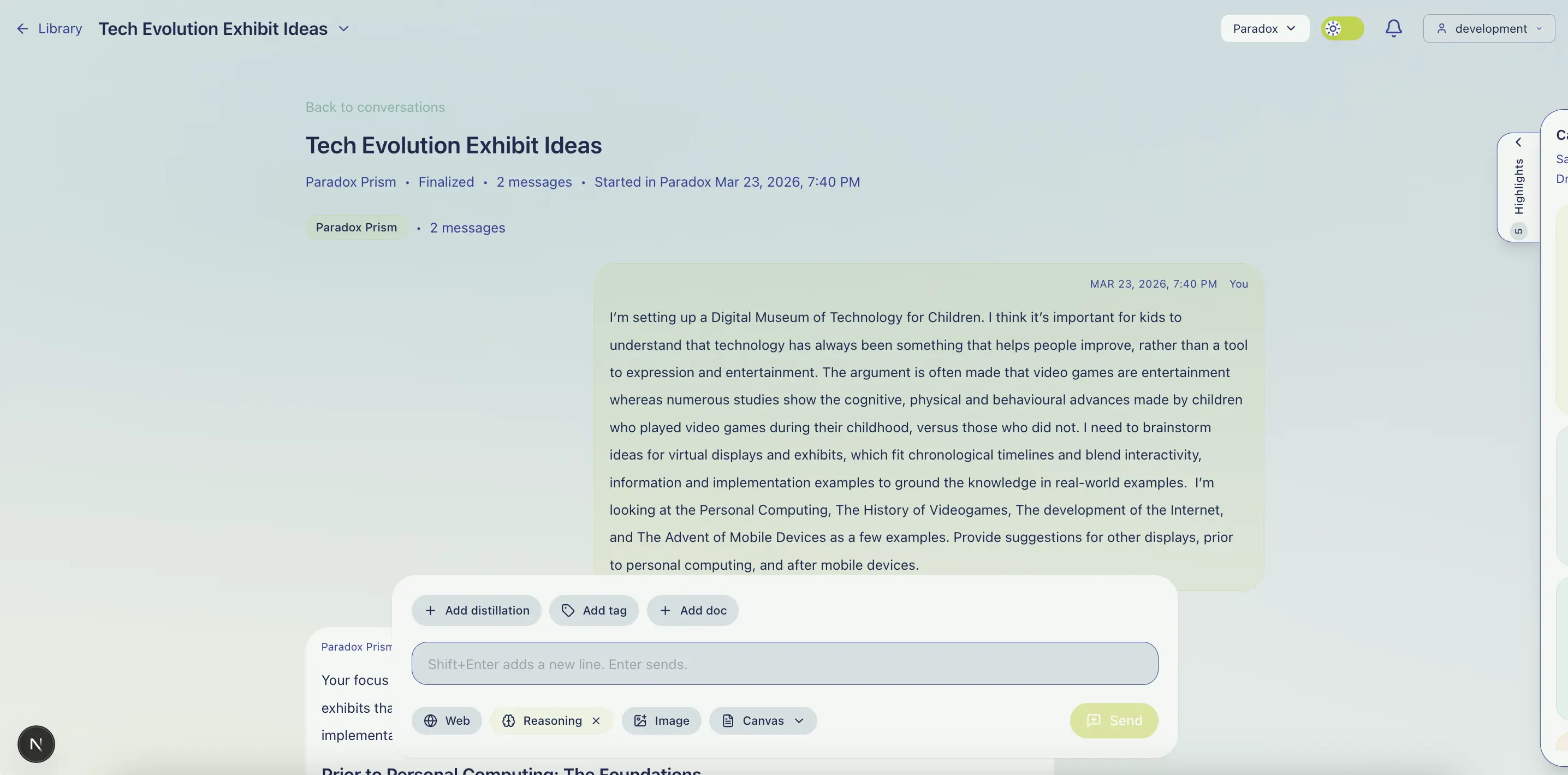
Conversations in Paradox carry deep personal context with topic-based tags, your documents, and distillations; user-curated highlights or AI-synthesized summaries from other discussions, enabling you to discuss your ideas with your context.
Knowledge from chats also flows into your docs, plans and other chats, transforming short conversations into enduring knowledge.
Paradox's Prism is a unified chat interface backed by multiple state‑of‑the‑art AI models, with support for web search, reasoning, image inputs, and multi-turn attachment and tool changes.
What if every chat you've had could be questioned and searched? What if you could select and combine the parts that matter, or have AI synthesize entire chats? What if you could convert or insert these highlights into documents? Or use this distilled knowledge to start new discussions?
Paradox transforms fleeting, limited chats into conversations with memory, continuity, and reusable knowledge.
Chat in Paradox without leaving your workspace. Native conversations become part of a connected personal knowledge layer, where chats, documents, tags, and distillations can be searched, linked, and reused together.
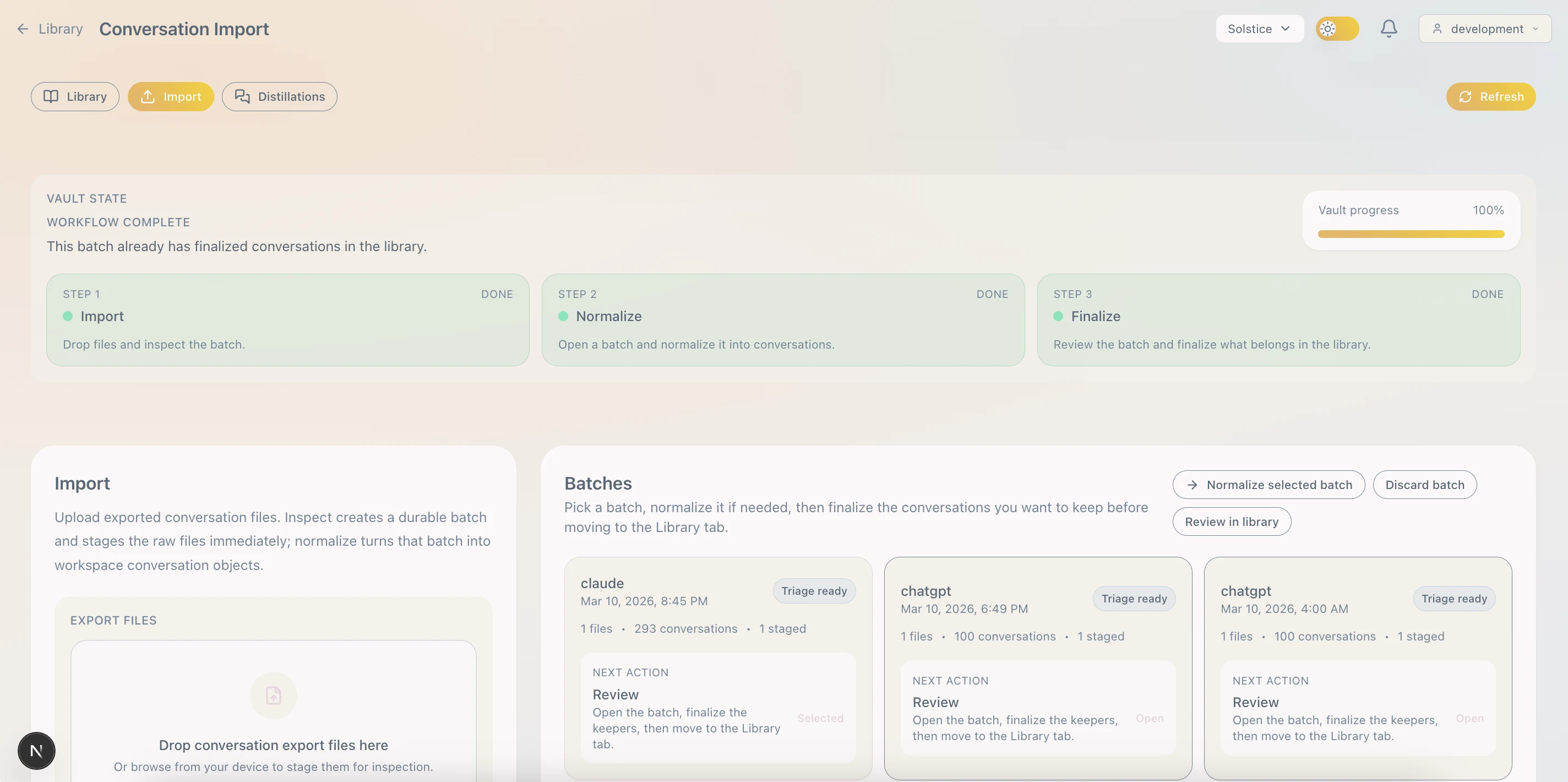
Import conversations from ChatGPT or Claude. Curate and capture durable highlights manually, or automatically generate synthesis for reuse in future conversations or injection into new or existing docs.
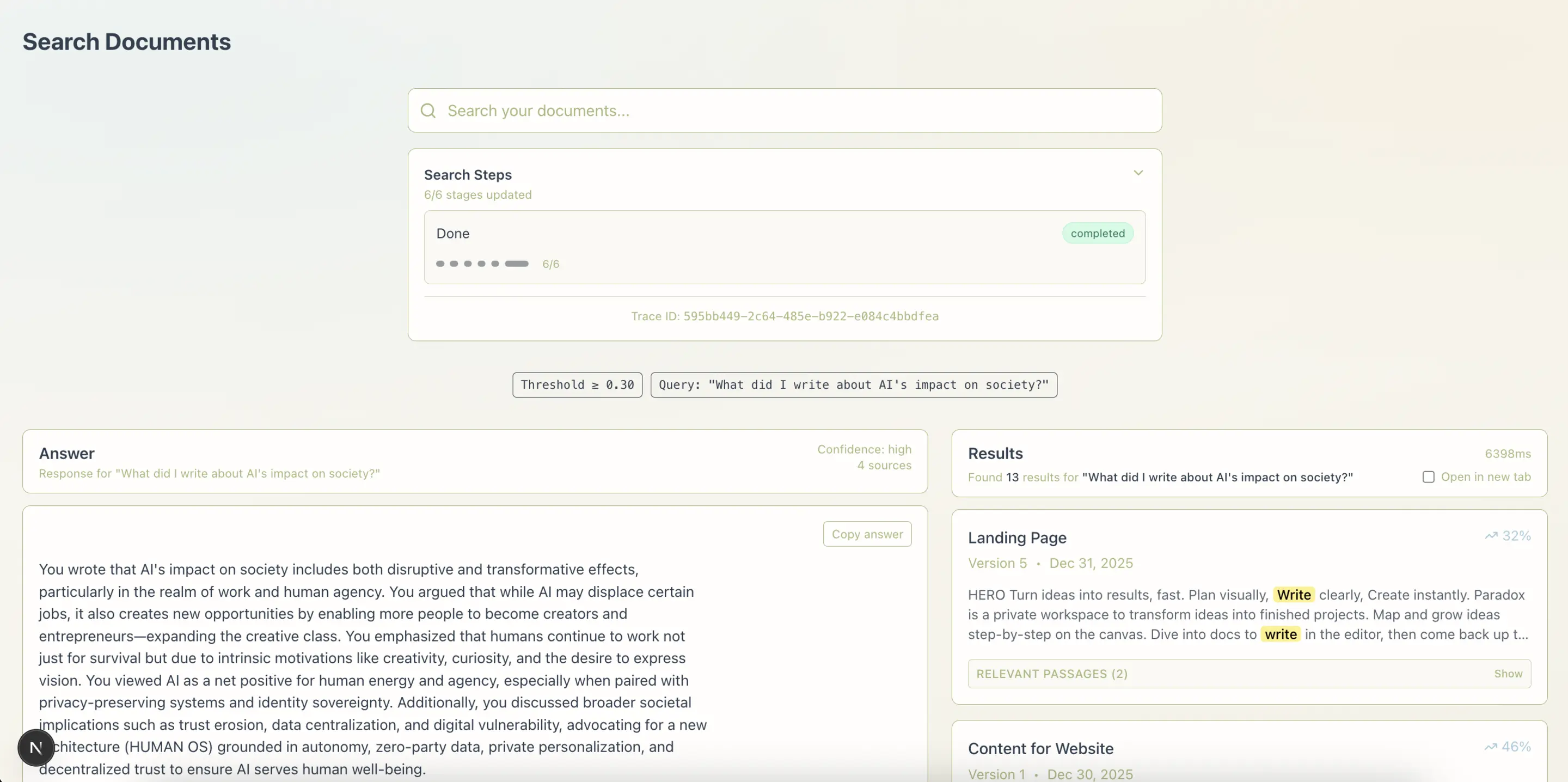
Conversations in Paradox are complementary to our rather excellent Universal Search. Natural language, answer-first with citations, and include traditional results!
When ready, insert distilled highlights into documents in Paradox Editor, or deliver summaries and actionable anchor lists to Paradox Canvas for further development.
Plan
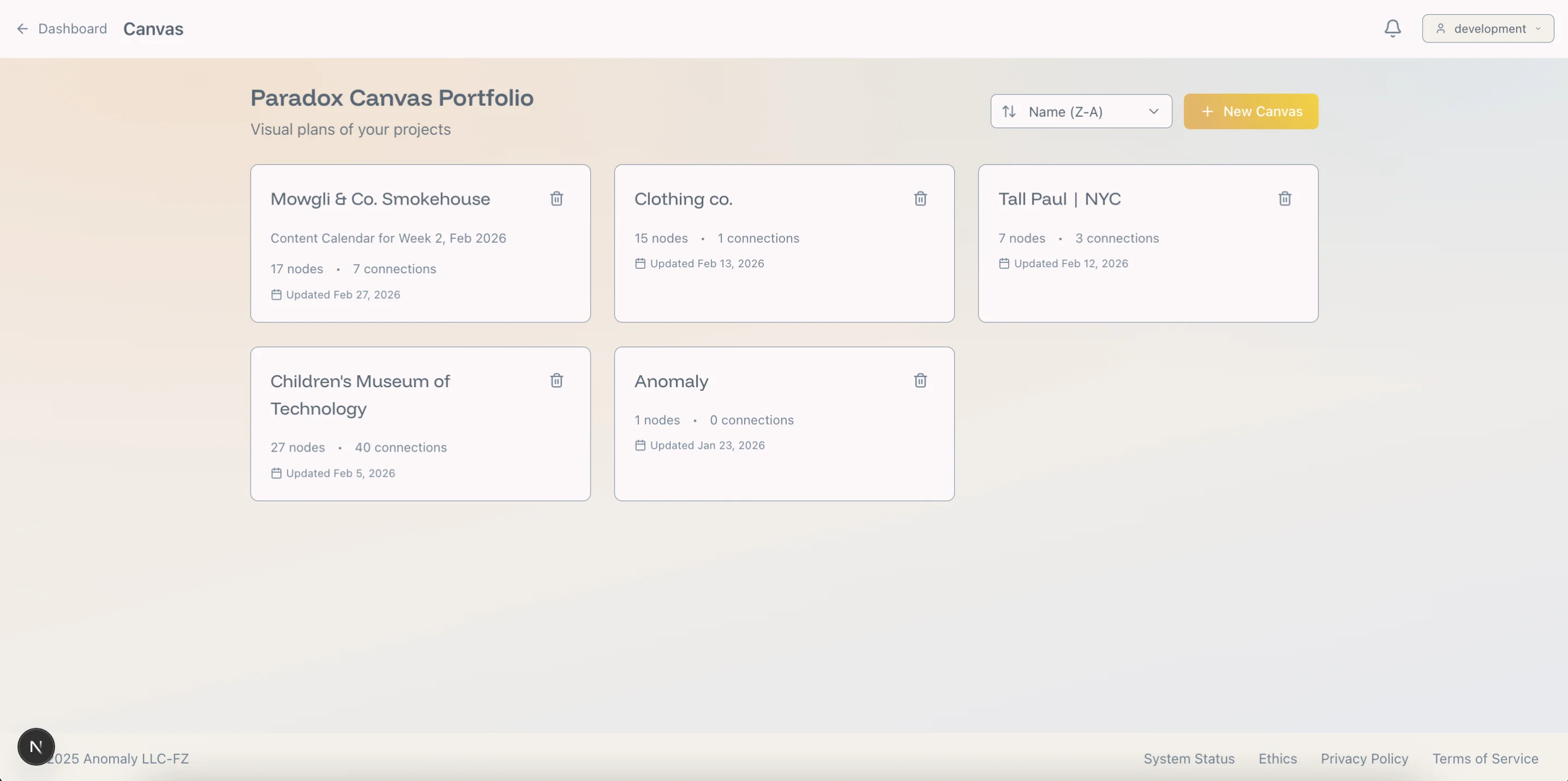
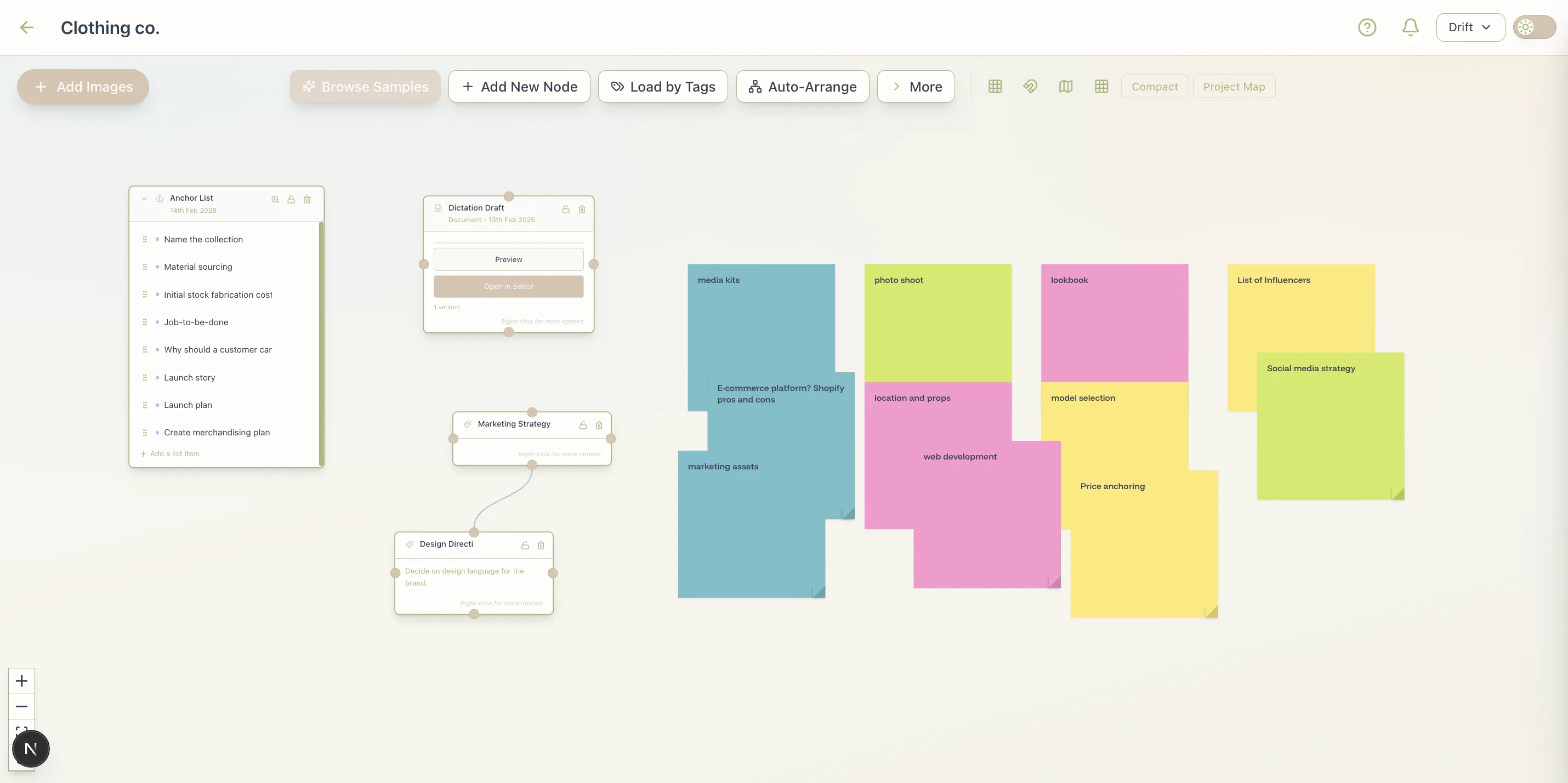
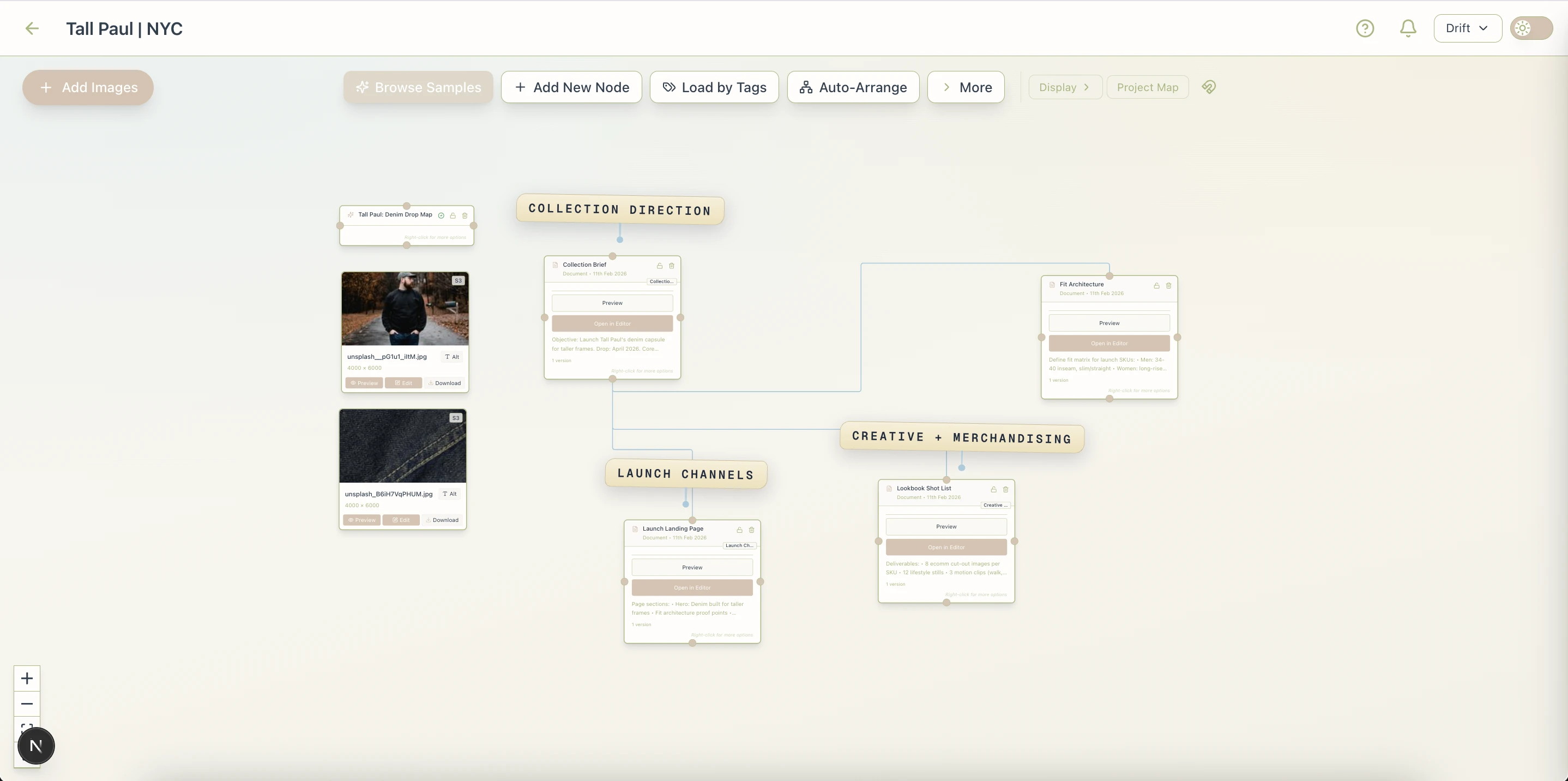
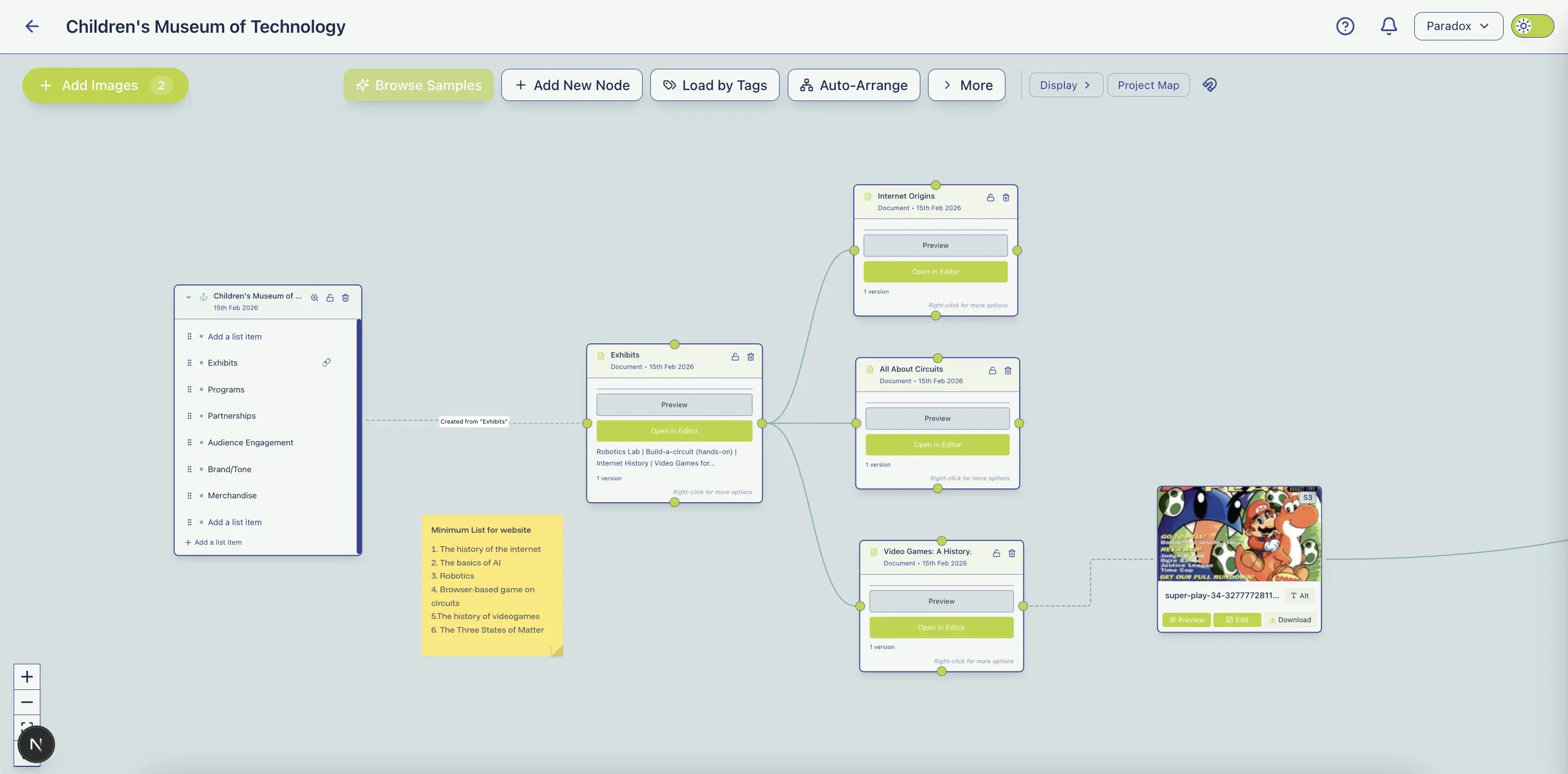
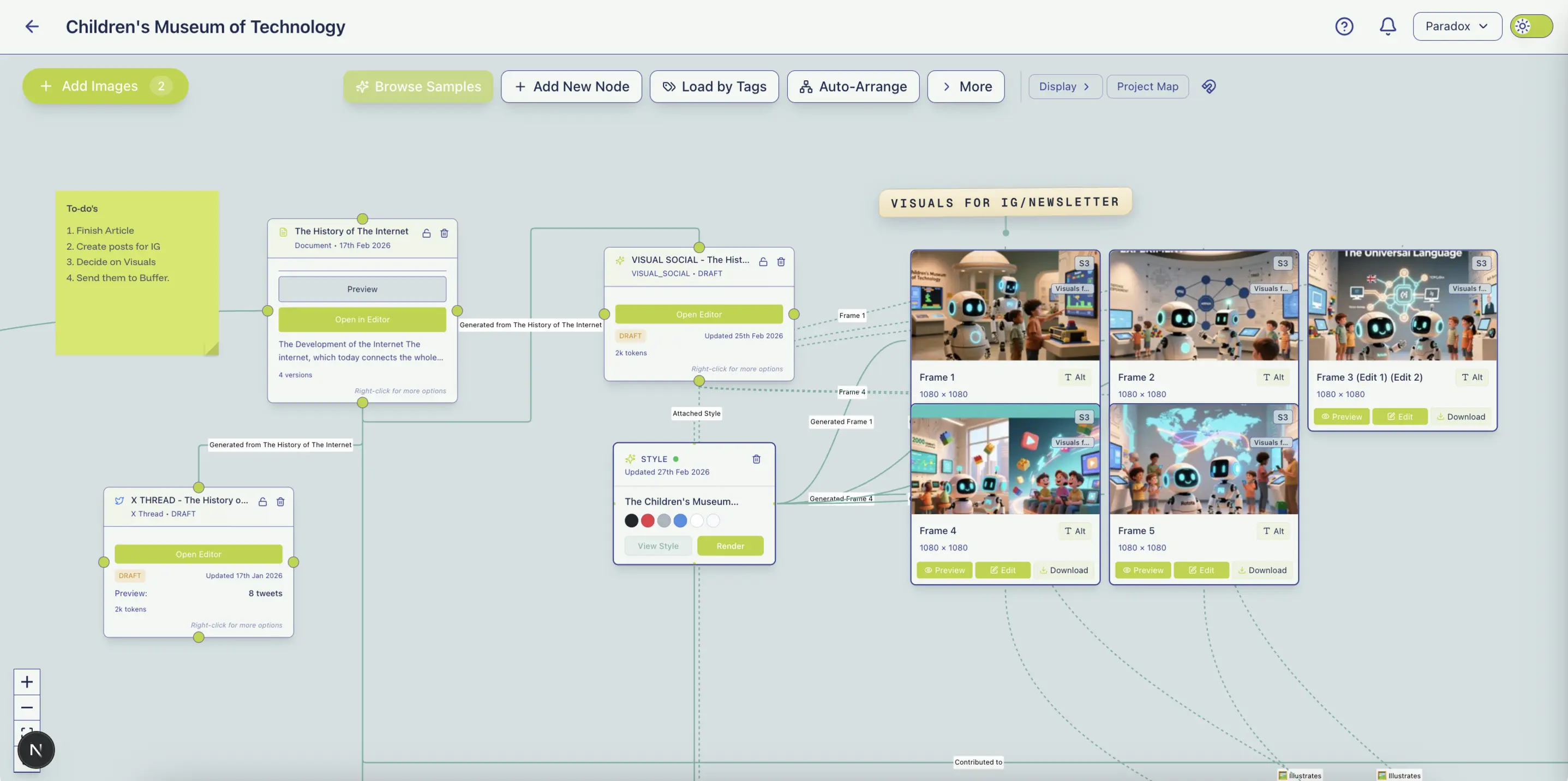
Paradox Canvas is a planning, generative,
and continuity surface ideas grow on.
Every input cascades, so every tiny effort builds momentum.
Most ideas live in your mind, or die in note-taking apps.
Paradox provides a quick way for them to take root and take shape.
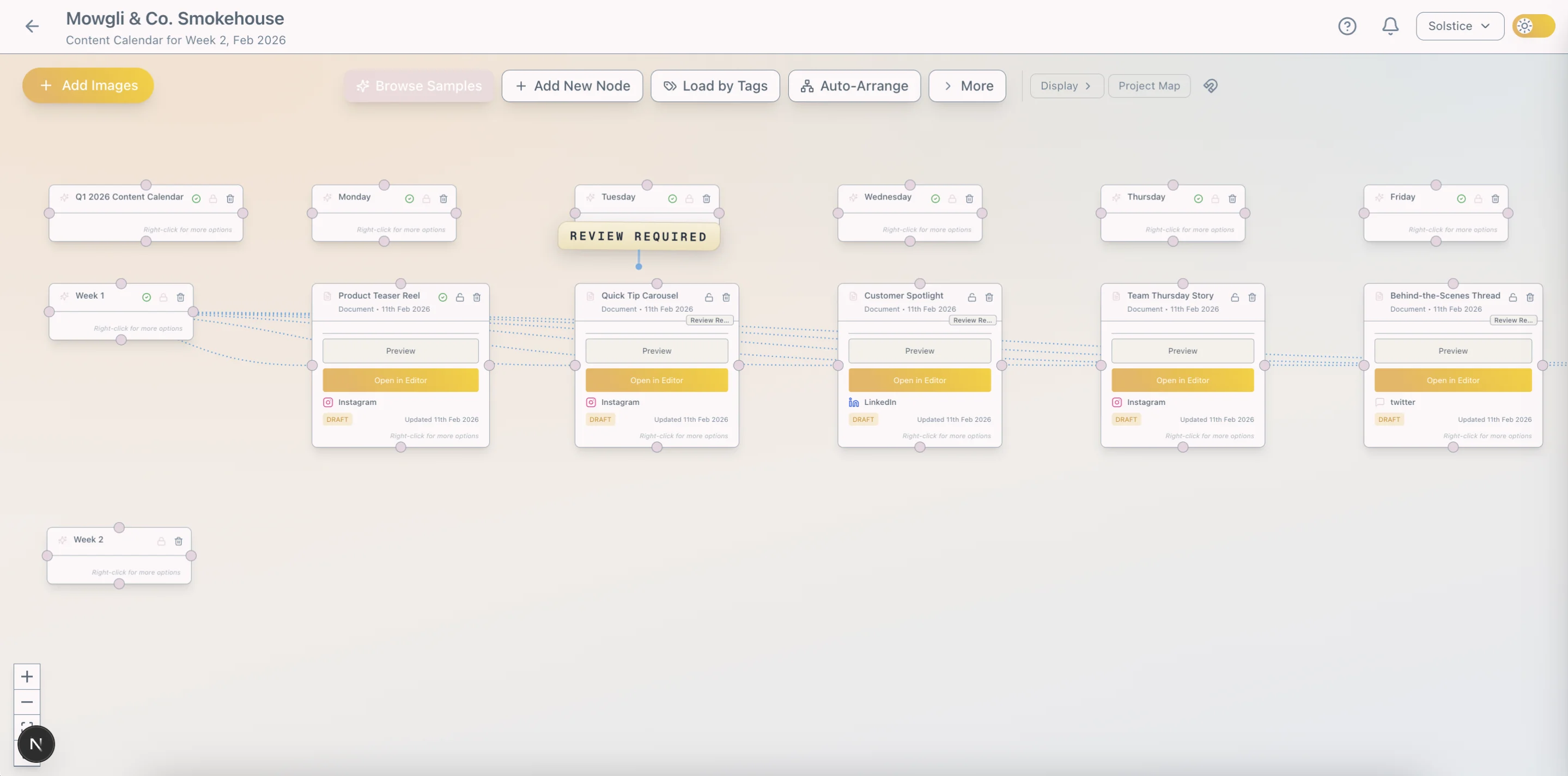
Mindmapping apps create clarity but stop there. Paradox packs native AI chat, a planning canvas, a full writing app, and a powerful content engine, in one connected workflow.
Built for flow, Paradox Pro transforms your docs into marketing content.
Human-driven, AI-powered. Created and edited in natural language.
Beyond strategy, content and distribution, Paradox enables continuity by providing a surface for continued building and collaboration.
Move seamlessly from the big picture in Paradox Canvas to detailed writing in Paradox Editor.
Plan, write, design and create without losing context, momentum, or switching apps.
Write
A reimagined writing experience to help you think deeply and write clearly.
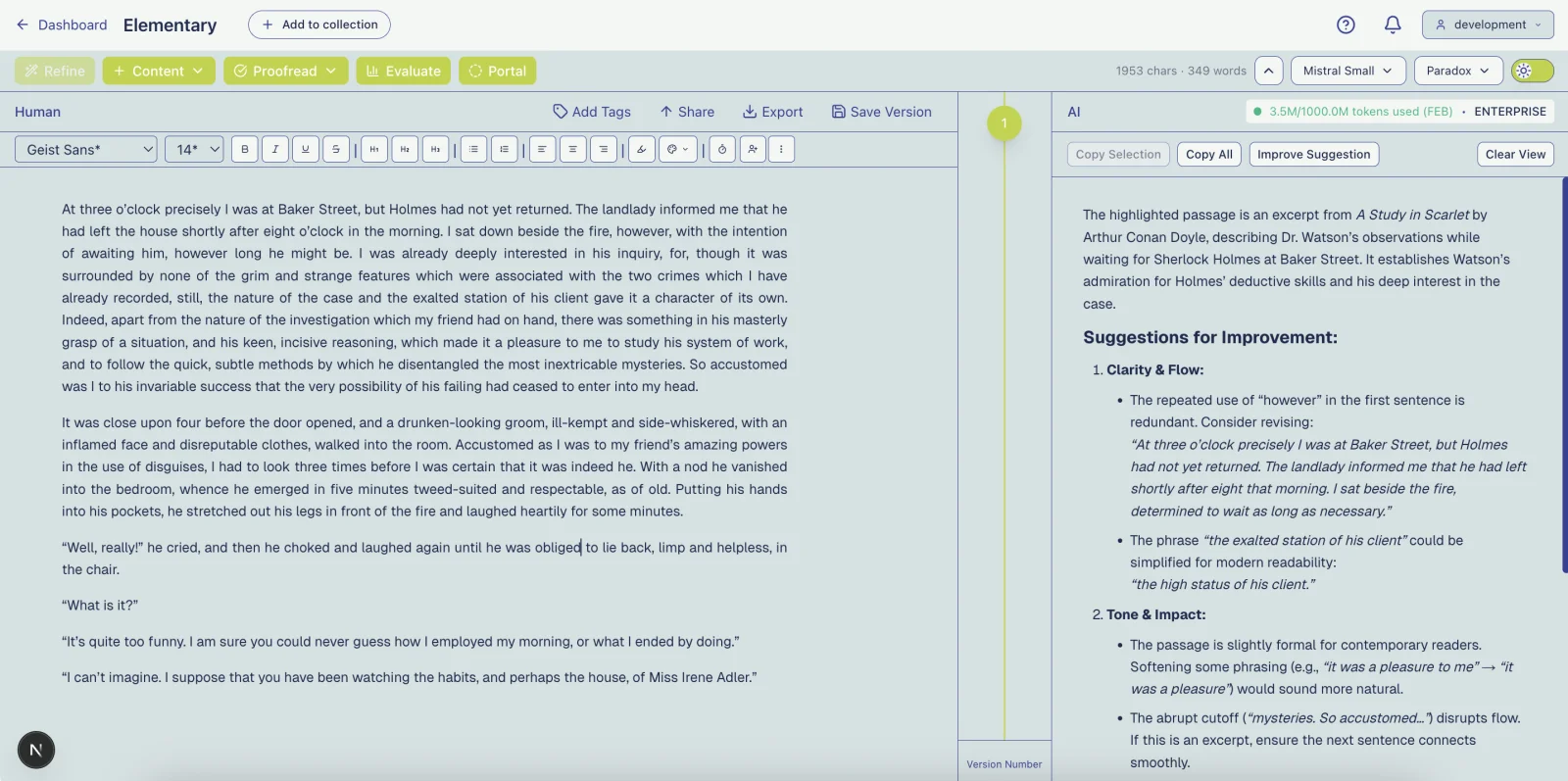
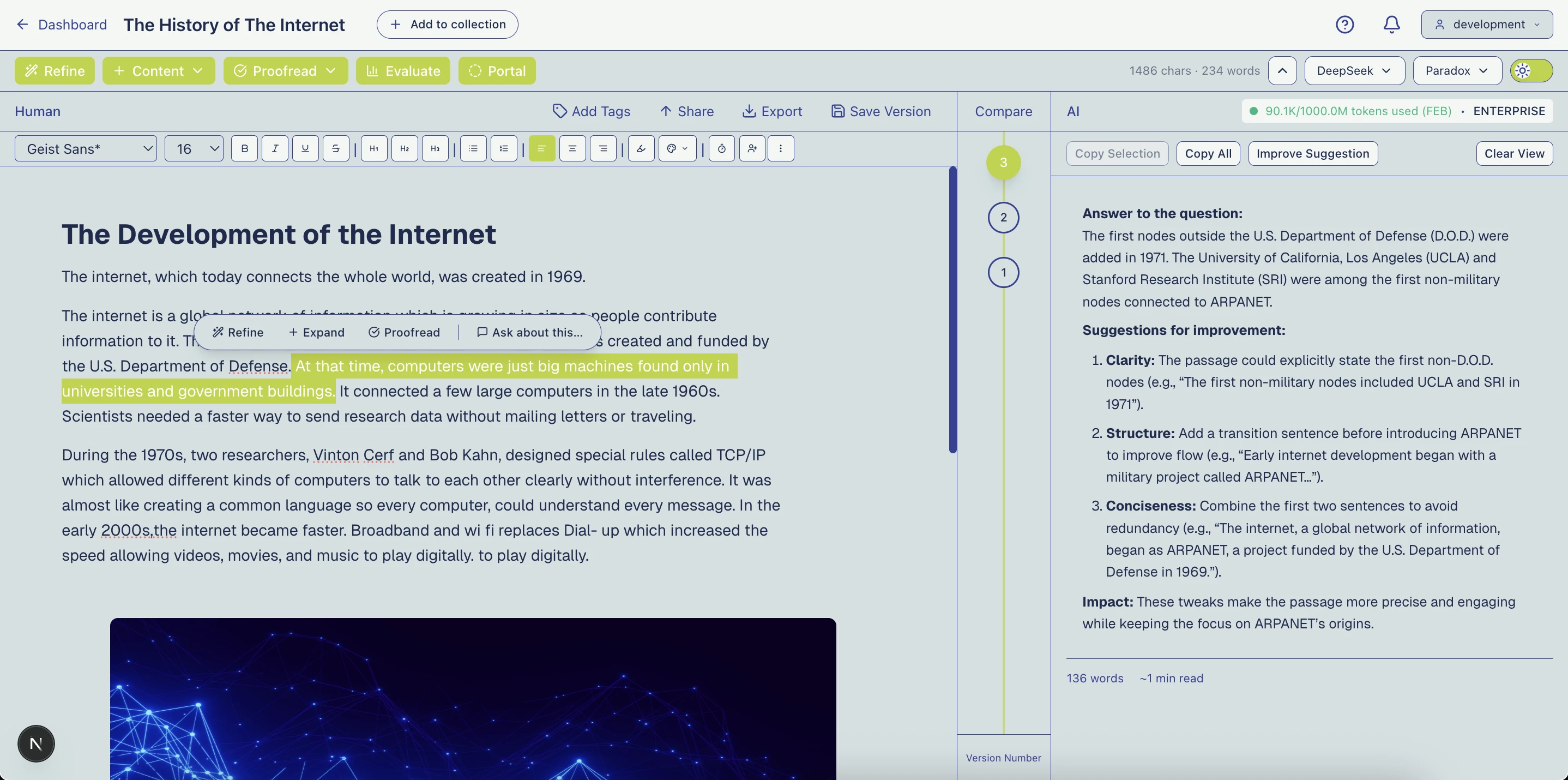
Unlike most modern AI text generation apps, Paradox is a human-first surface for writing and reflection. Its split-screen design keeps human and AI inputs separate while leveraging AI's strengths to enhance human creativity.
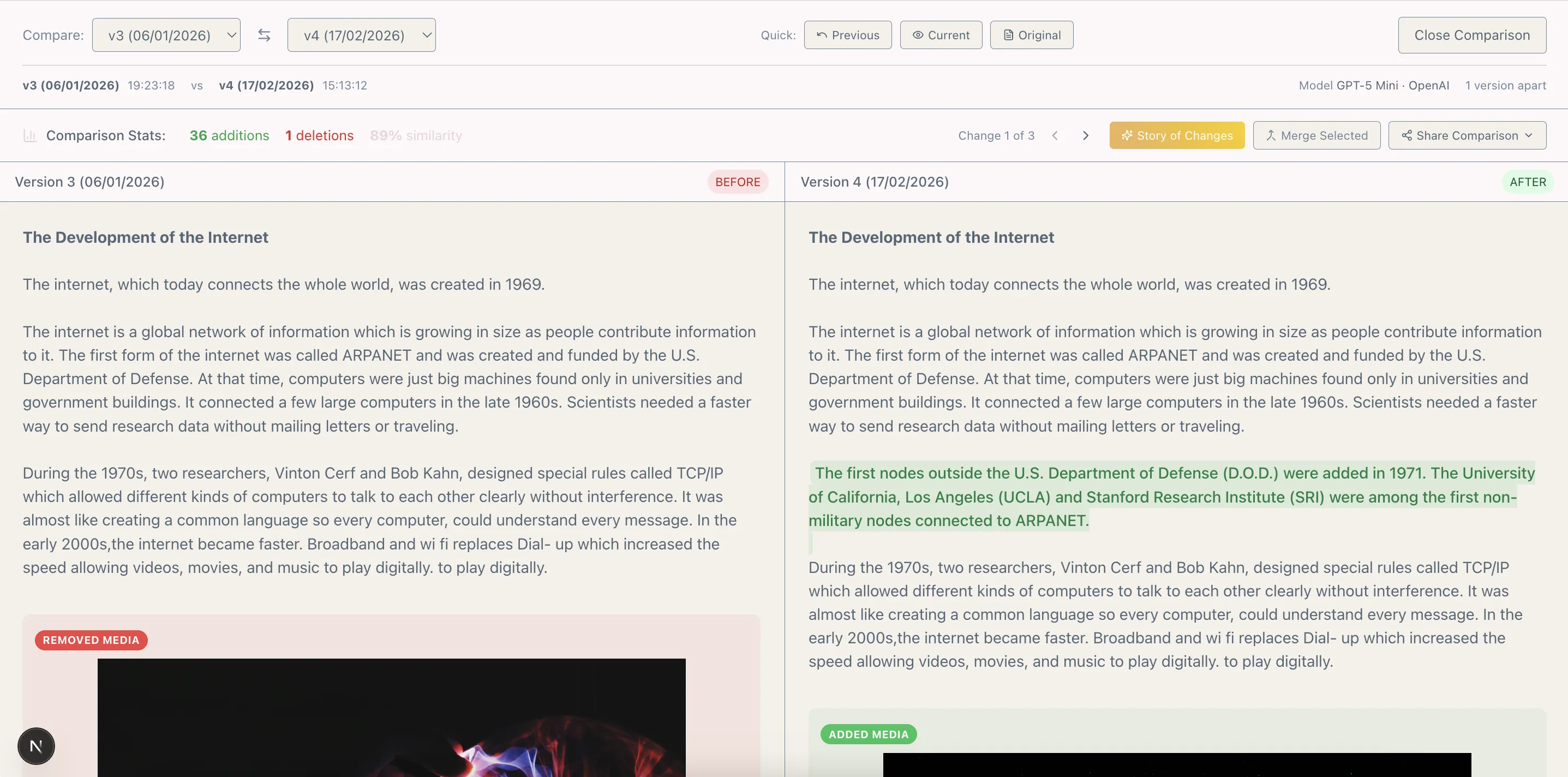
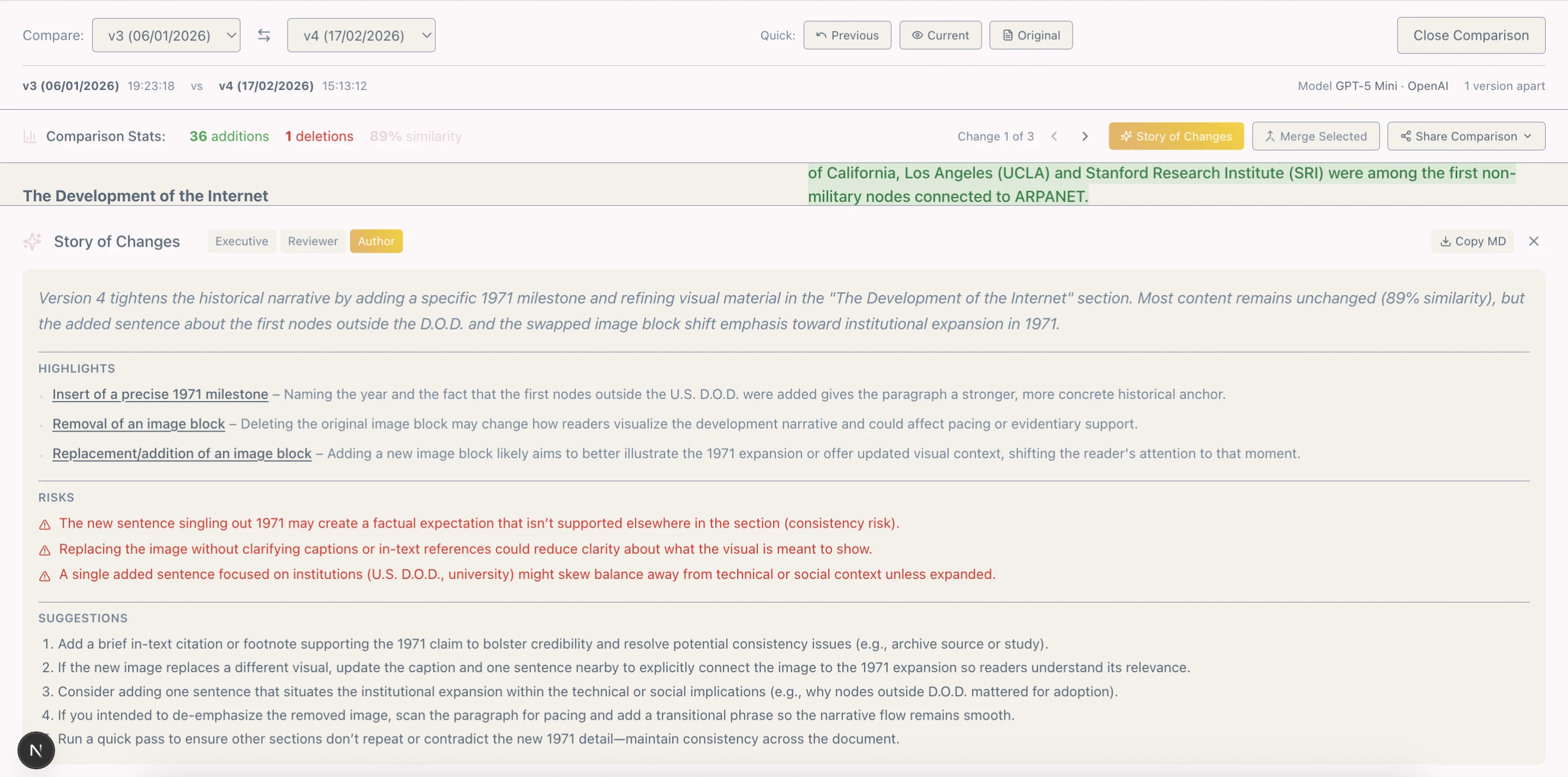
A traversable time machine you can use to create multiple versions of your document in one. Explore directions, then compare or merge drafts or view the story of changes without leaving the editor.
Switch between top models from OpenAI, Google, Qwen, DeepSeek, and Mistral directly in the editor for Q&A, research, feedback, structure, and refinement.
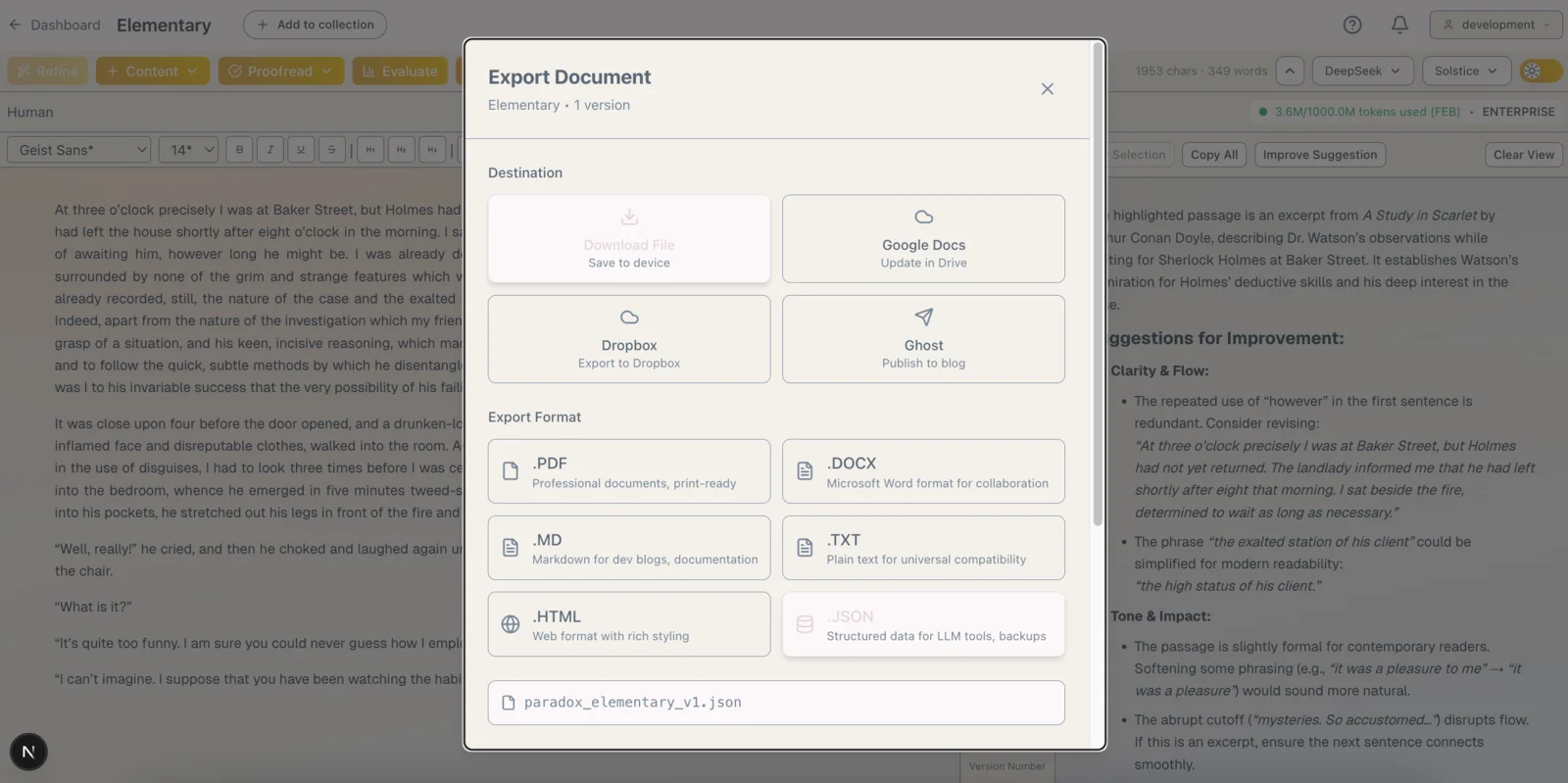
Paradox Editor is the only app you need to write once and get HTML, Markdown, JSON, TXT, DOCX, and PDF files. Sync to Google Drive, Dropbox, and publish directly to Ghost.
A Paradox Pro subscription takes it further. Stop copy/pasting between different apps and rewriting content constantly. Create Twitter threads, LinkedIn posts, Instagram and TikTok images, HTML and MJML newsletters from your writing, and translate your content across 24 languages with Canvas.
Paradox is your personal, AI-enabled knowledge hub, saving you precious time by answering questions asked in natural language.
"What did I write about AI's impact on society?"
Since Paradox understands intent, context, and related ideas, it replies with an answer - cited documents appended - as well as traditional search results, so you can find what you need even when you don't remember the exact name.
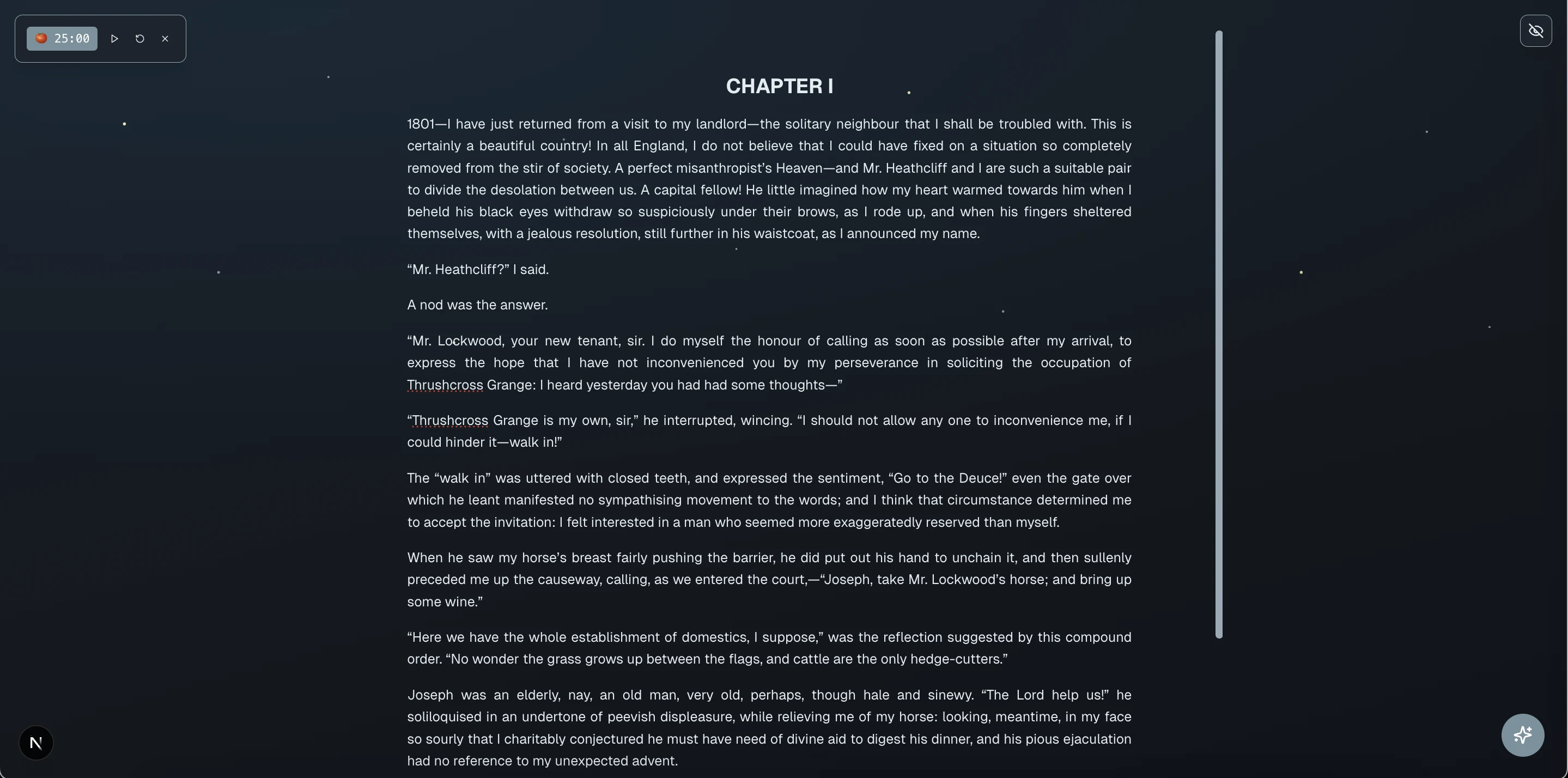
A floating window to capture research, thoughts, and ideas as you browse. Dictate, jot, and teleport notes back to your document with one click.
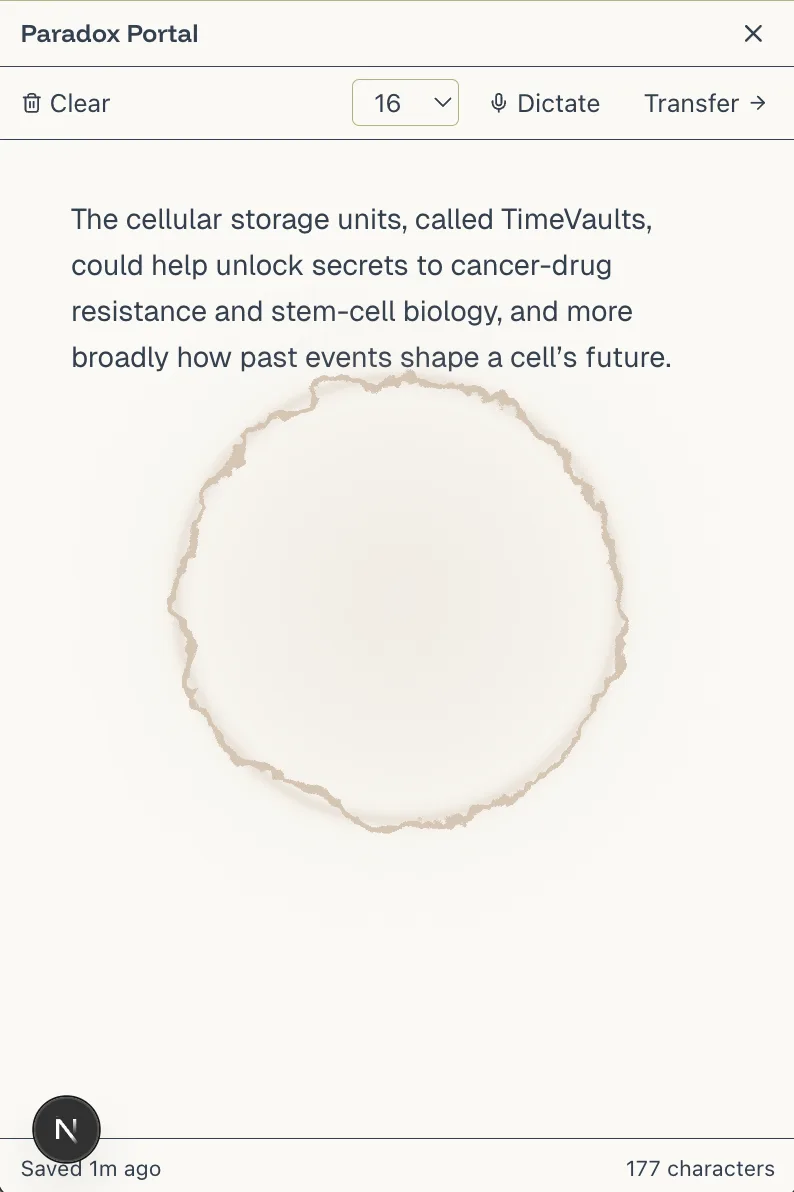
A set of features carefully crafted for better writing, and flow.
Your finished writing is a reusable asset which can take many forms.
Go back up to the canvas to turn it into Twitter threads, LinkedIn posts, Instagram visuals and more.
Create
Human direction x AI horsepower.
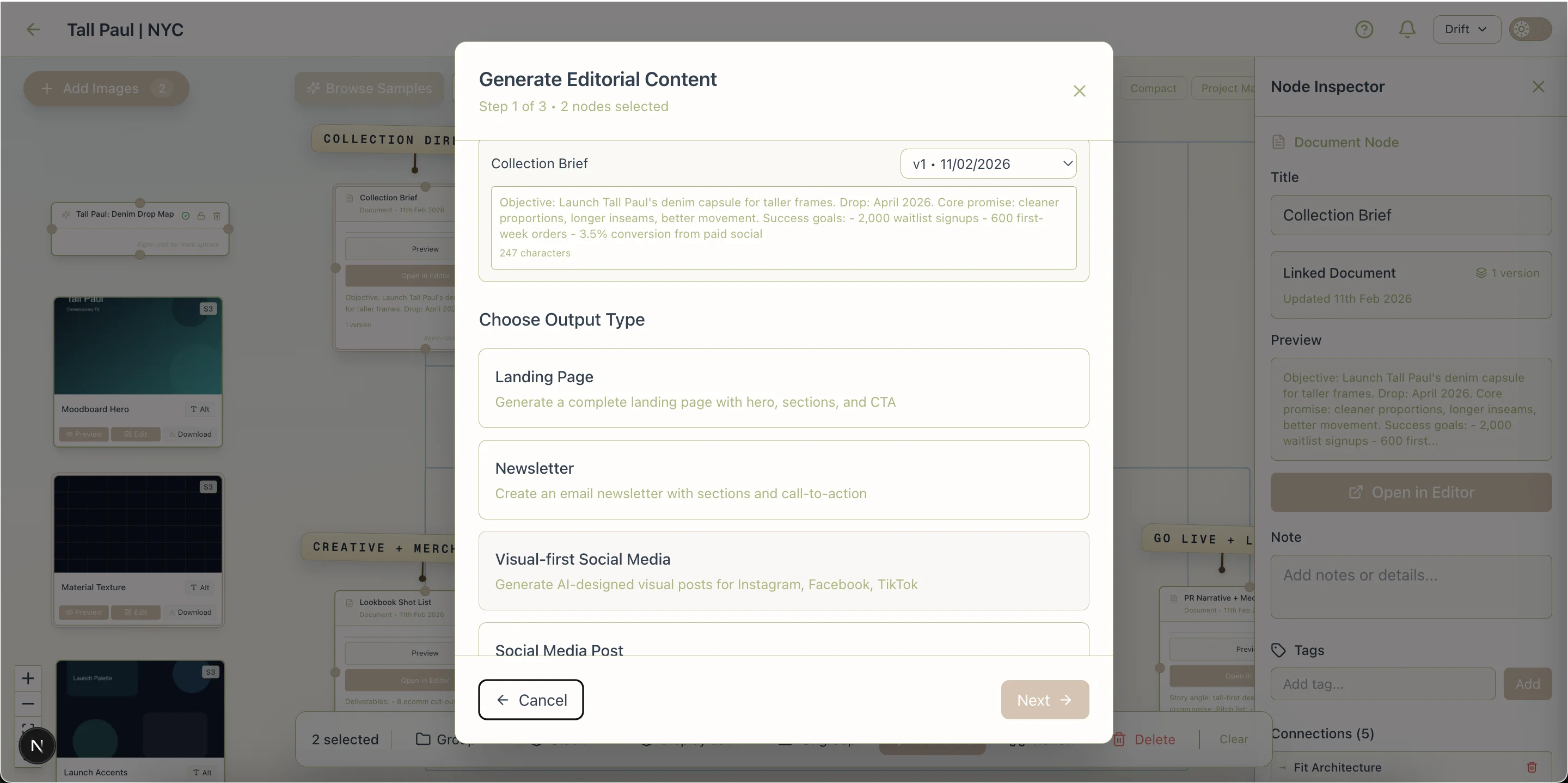
Your document
Right-click it on the canvas.
Step 1. Choose Social Post
Instagram/TikTok etc.
Step 2. Al Generates Spec for Social
Human edits or approves.
Step 3a. Specify Style
Human describes style.
Step 3b. Style Generated
AI produces. Human edits or approves.
Step 4. Social Frames Generated
AI generates visuals and captions for IG!
Step 5. Generate Newsletter
Human selects generated frames and source document.
Step 6. AI Generates Spec for Newsletter
Human edits or approves.
Step 8. Optional Edits
Human edits content and presentation.
Step 7. Newsletter Generated
AI renders newsletter using the previous or newly specified style.
Paradox Canvas (Pro) supports translating documents and generated variants between 24 major languages.
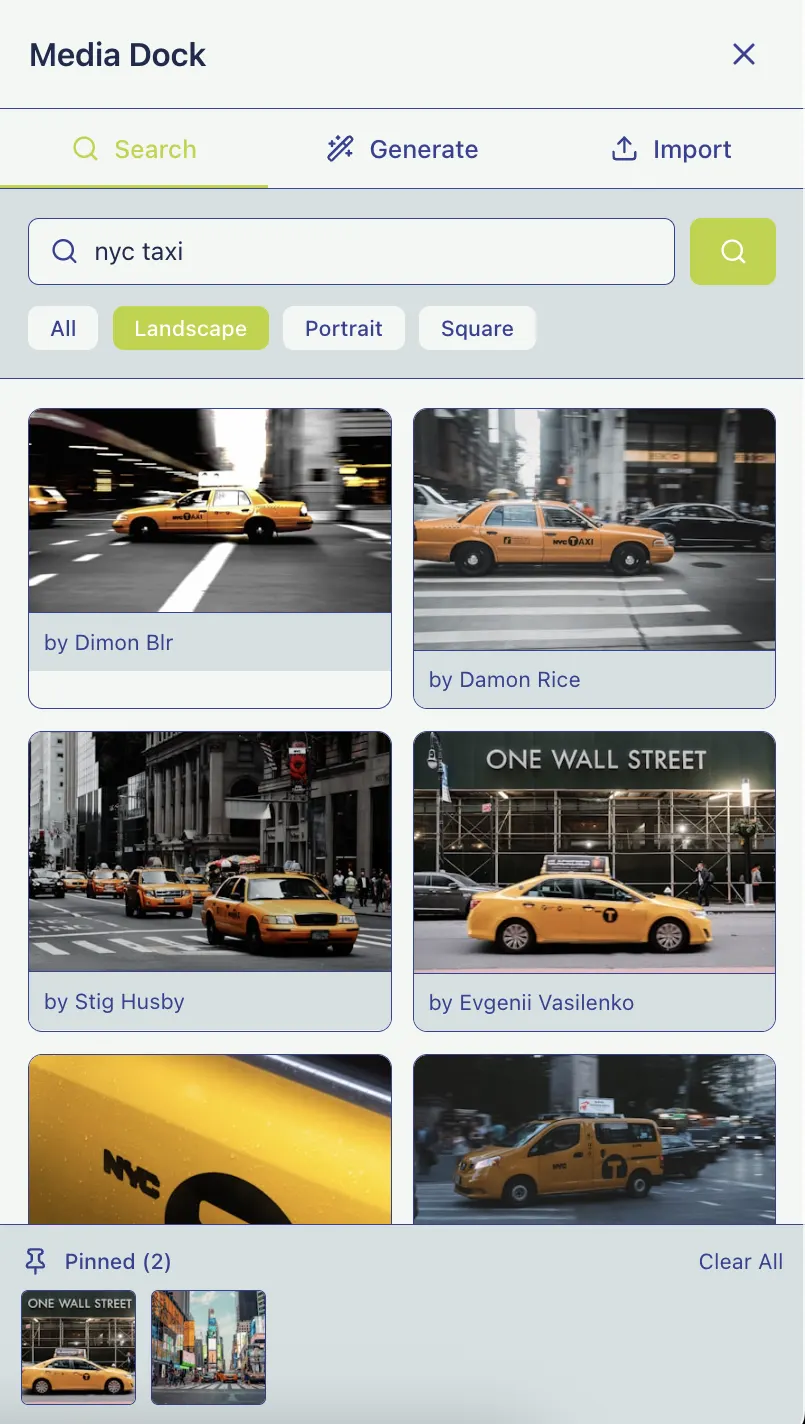
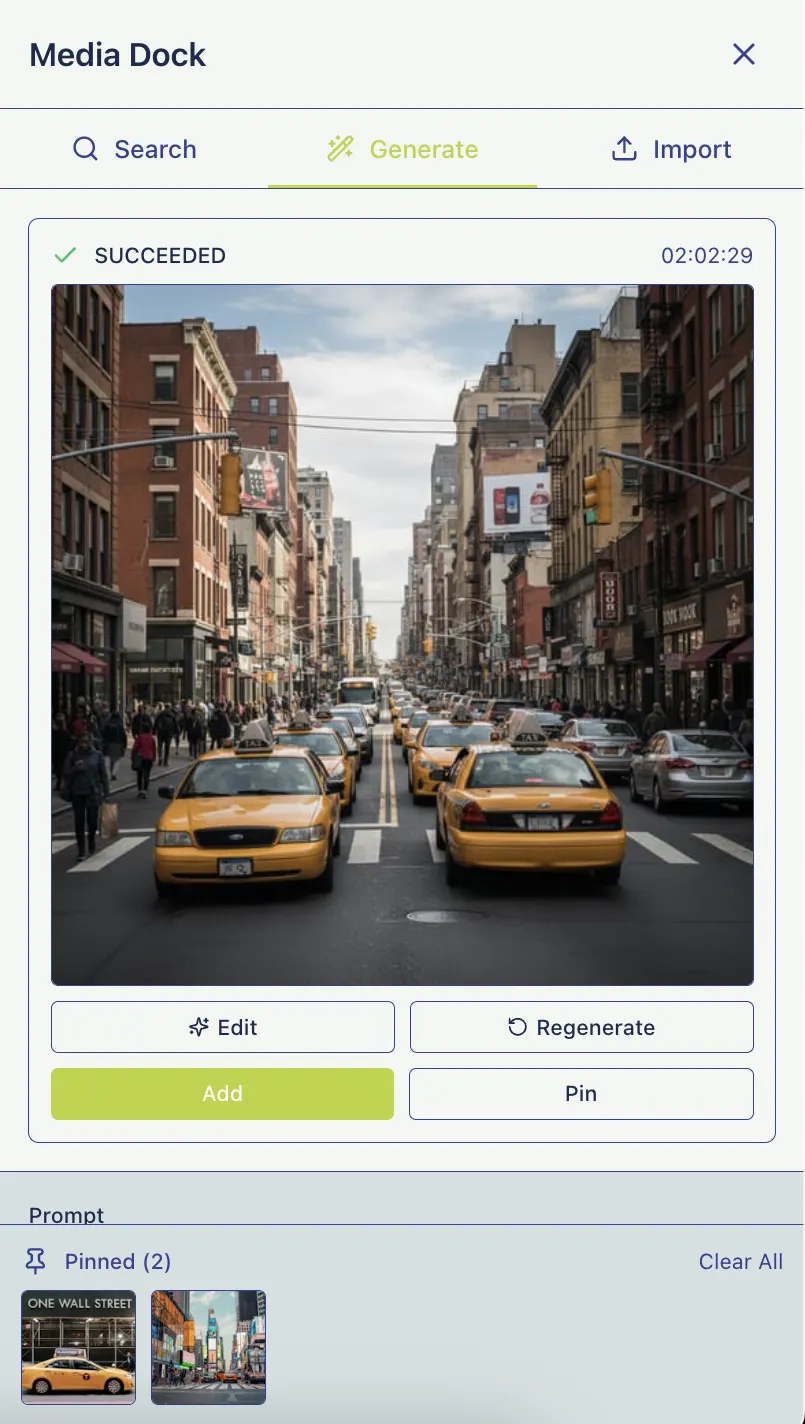
Integrate images from Unsplash.com, generate your own with AI, or import via URL without leaving the Canvas.
Paradox Canvas gives you immediate context, enabling you to pick up where you left off without searching for notes or files. It keeps everything in view, so you or your teammates can instantly see how ideas develop, how plans progress, and where to focus next. Start, stop, or refocus in an instant.
* Team plans are coming soon.Stop Copy/Pasting Between Apps
Try Paradox for free. Starter sets up your private writing hub, while Pro unlocks the canvas to bring your ideas to life.
Free during beta 3,500 tokens included
Try the writing experience for free.
Launch pricing save 25%
Write + Chat + Publish.
Launch pricing save 29%
Full Plan -> Write -> Chat -> Create system.
AI tokens represent the computational cost of AI processing. Roughly, 1,000 tokens equals about 750 words of text processing. Read our ethics statement for details.
No. Your content is private and never used to train AI models. Read our ethics statement for details.
Bring Your Own Key (BYOK) allows lifetime users to use their own OpenAI or Anthropic API keys instead of our subscription plan tokens.
For Starter and Pro plans, topup packs are coming soon. Free plan users will be paused until the next month.
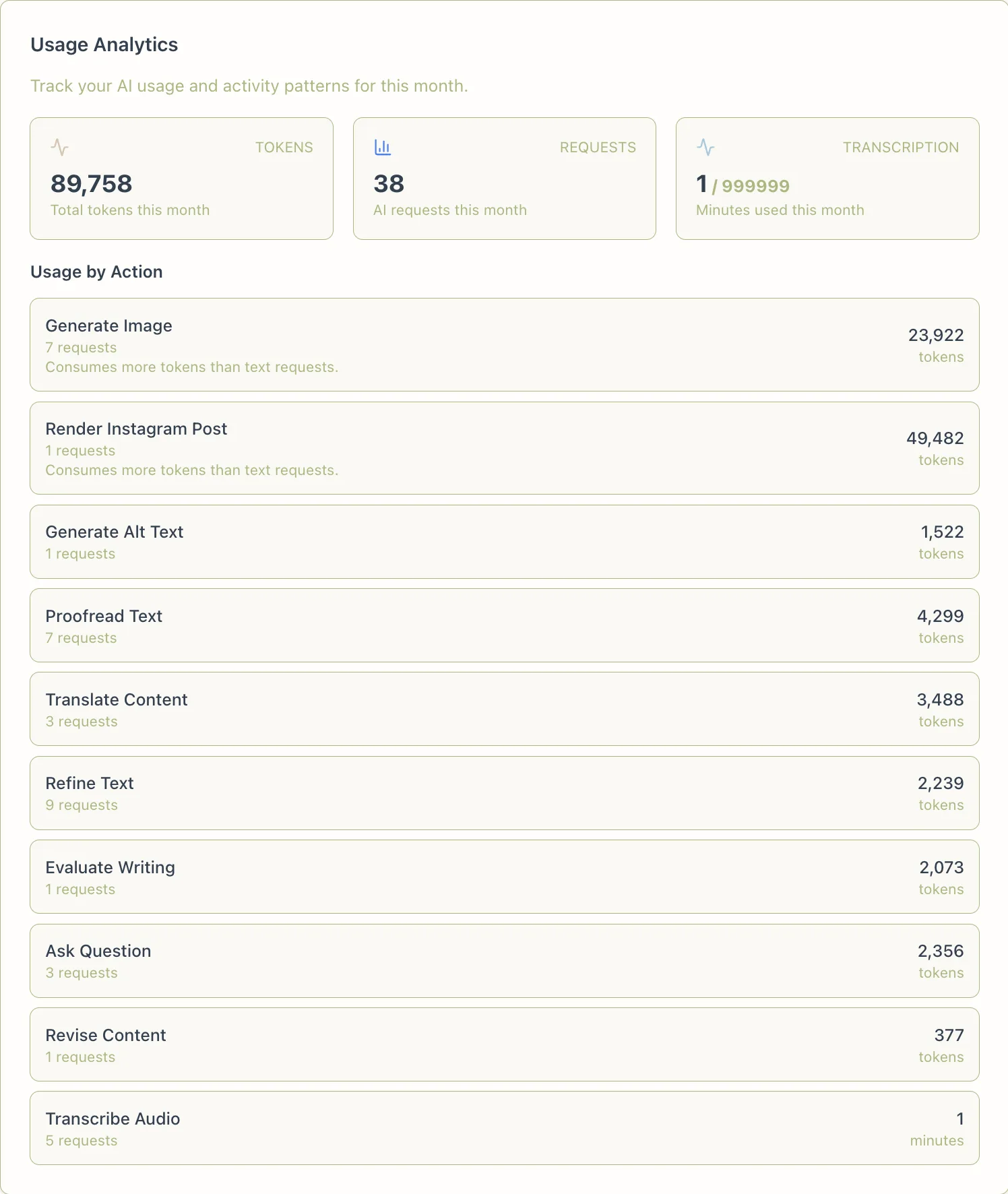
Topups are coming soon. You'll be able to add extra tokens on demand and track usage by request type.
Launch pricing is locked in for as long as you maintain your subscription. New subscribers after launch will pay regular prices.
Paradox Starter is for users who want a modern, human-first writing app that also serves as a private, intelligent document hub. Paradox Pro adds planning and generative capabilities for users who think visually and value control in AI-assisted production.
Canvas maps ideas visually and keeps projects connected. The Editor is where you write, refine, and produce the final output.
Teams is coming soon. Join the waitlist to get notified when it launches.
The Editor is free forever, so you can evaluate the workflow before upgrading. Paid plans are intended for active use and aren’t refundable at this time.
Paradox stores user data on DigitalOcean in their Singapore location. We offer rich export options and syncing to Google Drive and Dropbox. Users can export their data whenever they want. Read our ethics statement for details.
Each tier unlocks specific AI models. Higher tiers include all models from lower tiers plus premium options. Paradox uses a dozen different models, with direct access to the GPT 5 family, Deepseek, the Gemini 3 family, the Qwen family, and Mistral. Read our ethics statement for details.
Use the Paradox Editor and its connected canvas to make it happen.